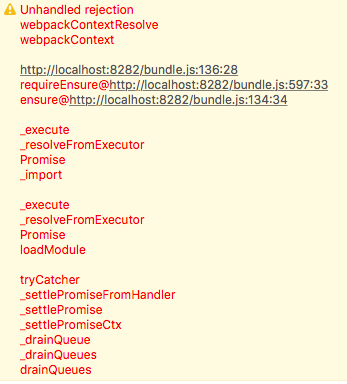
Some time ago, I wanted to add some tests (behavior and render) on an Aurelia component that uses the i18n plugin and more precisely the df attribute in the view to display a localized date.
Since it was a while back (I wanted to write it earlier but couldn't), my memory may not completely accurate. I hope it can help you nonetheless. If you have questions, please post a comment.
My component is pretty basic: it takes some bindable as inputs, define a time format to format the date correctly, has 3 methods to add custom behavior and that's it. You can view the model here and the view here.
Also note I am using TypeScript, Webpack and Jest. If you use different tooling, you may need to adapt the example a bit.
In my test, I setup my component like this:
component = StageComponent.withResources(PLATFORM.moduleName('../../src/resources/elements/aurss-article'))
.inView(`
<aurss-article
value.bind="article"
mark-article-as-read.bind="markArticleAsRead"
mark-article-as-unread.bind="markArticleAsUnread"
open-article.bind="openArticle"
></aurss-article>
`).boundTo(viewModel);
await component.create(bootstrap); // bootstrap comes from aurelia-bootstrapper
I got this error when running the tests: Error: No ValueConverter named "df" was found!. I then tried to register the component with:
component = StageComponent.withResources([
PLATFORM.moduleName('../../src/resources/elements/aurss-article'),
PLATFORM.moduleName('aurelia-i18n'),
])
But all I got was: Error: Error invoking RelativeTime. Check the inner error for details..
After reading tests in the plugin repo and this article (which solves a similar problem but the proposed solution didn't work for me), here is how I nailed it:
I created an test/helpers.ts file with the code below. Its purpose is to bootstrap the i18n plugin (it resembles what you do in main.ts):
import {Aurelia, PLATFORM} from 'aurelia-framework';
import {Backend} from 'aurelia-i18n';
export const prepareI18nComponent = (component) => {
component.bootstrap((aurelia: Aurelia) => {
return aurelia.use.standardConfiguration()
.plugin(PLATFORM.moduleName('aurelia-i18n'), (instance) => {
const aliases = ['t', 'i18n'];
// register backend plugin
instance.i18next.use(Backend.with(aurelia.loader));
const config = {
resources: {
en: {
translation: {
hello: undefined,
},
},
},
skipTranslationOnMissingKey: true,
};
return instance.setup(Object.assign({
attributes: aliases,
backend: {
loadPath: './locales/{{lng}}/{{ns}}.json',
},
debug: false,
defaultNS: 'translation',
fallbackLng: 'en',
interpolation: {
prefix: '{{',
suffix: '}}',
},
lng: 'en',
}, config));
});
});
};
In the beforeEach function, I now setup the component like this:
beforeEach(async (done) => {
viewModel = {
article: createArticle(),
markArticleAsRead: jest.fn(),
markArticleAsUnread: jest.fn(),
openArticle: jest.fn(),
};
component = StageComponent.withResources(PLATFORM.moduleName('../../src/resources/elements/aurss-article'))
.inView(`
<aurss-article
value.bind="article"
mark-article-as-read.bind="markArticleAsRead"
mark-article-as-unread.bind="markArticleAsUnread"
open-article.bind="openArticle"
></aurss-article>
`).boundTo(viewModel);
prepareI18nComponent(component); // Bootstrap i18n
await component.create(bootstrap);
done();
});
I also configured jest to load a file name test/jest-pretest.ts before it executes the tests suite by adding, under the jest section of my package.json file:
"setupFiles": [
"<rootDir>/test/jest-pretest.ts",
"jest-localstorage-mock"
]
This file contains:
import {Options} from 'aurelia-loader-nodejs';
import {globalize} from 'aurelia-pal-nodejs';
import 'aurelia-polyfills';
import * as IntlPolyfill from 'intl';
import * as path from 'path';
Options.relativeToDir = path.join(__dirname, 'unit');
globalize();
(global as any).navigator = {};
global.Intl.NumberFormat = IntlPolyfill.NumberFormat;
global.Intl.DateTimeFormat = IntlPolyfill.DateTimeFormat;
(window as any).Intl = global.Intl;
(window as any).Intl.NumberFormat = IntlPolyfill.NumberFormat;
(window as any).Intl.DateTimeFormat = IntlPolyfill.DateTimeFormat;
It is meant to be sure the Intl API used by the plugin is correctly defined during the tests.
That's it! You can also take a look at the full project code in gitlab if you need more details: https://gitlab.com/Jenselme/aurss